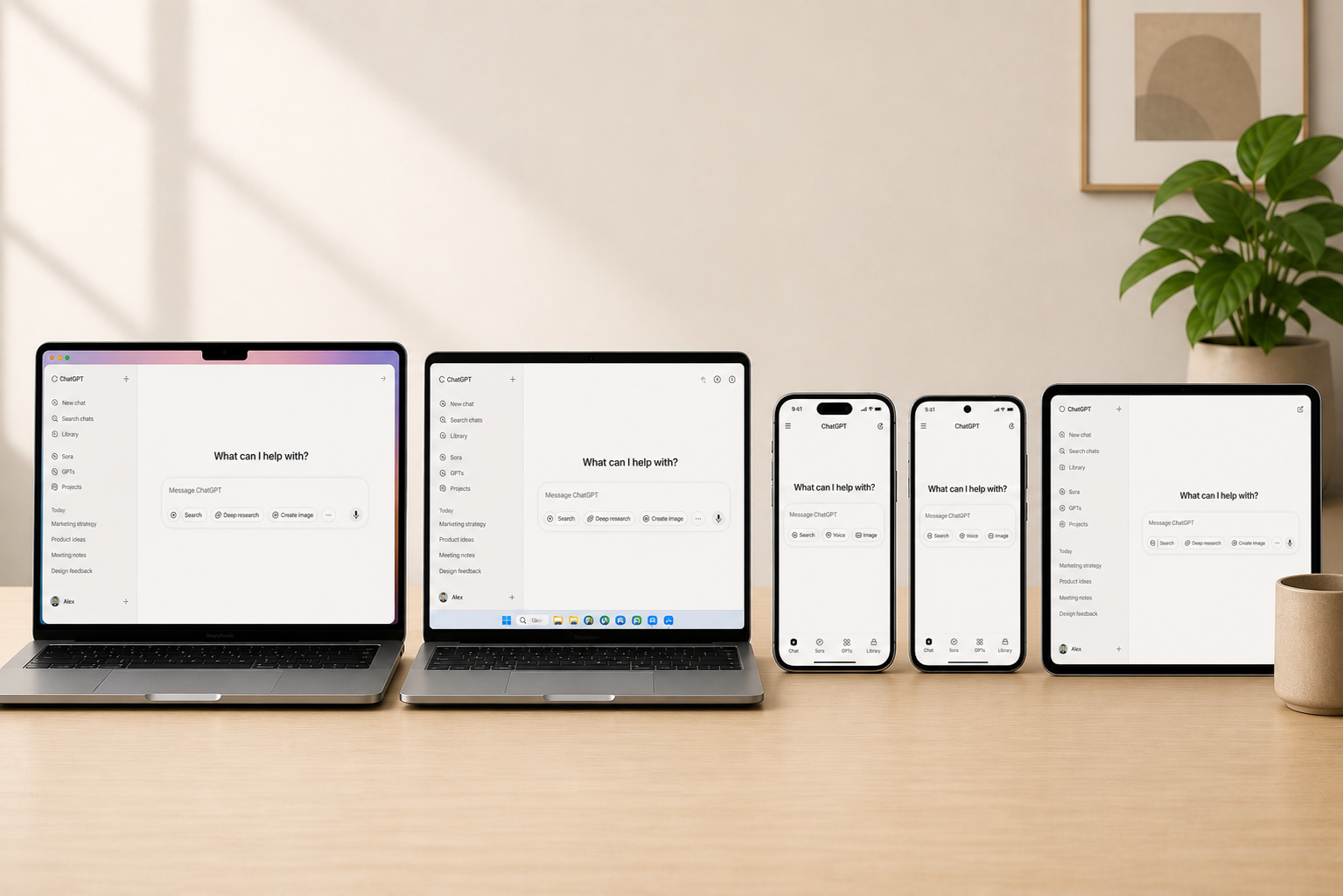
Find the AI app that fits what you want to do. Vind de AI-app die past bij wat jij wilt doen.

Compare ChatGPT, Codex, Claude, and Gemini in plain language, see what each app is useful for, and go straight to the official download or web app. Vergelijk ChatGPT, Codex, Claude en Gemini in gewone taal, zie waarvoor elke app handig is en ga direct naar de officiele download of web-app.

3 AI makers 3 AI-makers 6 official apps and tools 6 officiele apps en tools 19 direct links 19 directe links
Every button points to an official store, download page, or product page. Availability can vary by region, plan, or account. Elke knop verwijst naar een officiele store, downloadpagina of productpagina. Beschikbaarheid kan verschillen per regio, abonnement of account.

How the apps look before you download them Zo zien de apps eruit voordat je ze downloadt

A quick visual look at the main mobile, desktop, and browser apps before you open a store or download page. Een snelle visuele indruk van de belangrijkste mobiele, desktop- en browserapps voordat je een store of downloadpagina opent.

Official ChatGPT App Store screenshot showing image generation in the 2026 mobile app.
OpenAI

ChatGPT

General AI assistant across phone, desktop, and web. Brede AI-assistent voor telefoon, desktop en web.

Official Claude App Store screenshot showing the 2026 mobile app home surface.
Anthropic

Claude

Writing, research, visual analysis, and connected actions. Schrijven, research, beeldanalyse en connected actions.

Official Claude Code product image showing agentic coding in the terminal.
Anthropic

Claude Code

Coding help inside developer tools. Codehulp binnen developer-tools.

Official Gemini App Store screenshot showing the 2026 mobile app assistant surface.
Google

Gemini

Live, Canvas, image editing, study, and Google context. Live, Canvas, beeldbewerking, studie en Google-context.

Official Google Cloud image for Gemini CLI developer tooling.
Google

Gemini CLI

Gemini for command-line developer work. Gemini voor command-line developerwerk.

Which app should you use? Welke app gebruik je waarvoor?

Each AI maker below shows the apps that matter most, what they are useful for, and the cleanest official link per platform. Elke AI-maker hieronder laat zien welke apps het belangrijkst zijn, waarvoor ze handig zijn en wat de duidelijkste officiele link per platform is.

OpenAI apps OpenAI-apps

OpenAI

ChatGPT handles everyday AI work, while Codex is for people who want focused help building software. ChatGPT helpt met dagelijks AI-werk, terwijl Codex bedoeld is voor mensen die gericht software willen bouwen.

Choose OpenAI when you want one family for chat, search, files, images, voice, and coding help. Kies OpenAI als je een familie wilt voor chat, zoeken, bestanden, beelden, voice en hulp bij code.

OpenAI app OpenAI-app

ChatGPT

General assistant Algemene assistent
Official ChatGPT App Store screenshot showing image generation in the 2026 mobile app.

Use ChatGPT for writing, search, voice, screenshots, files, and image creation across desktop, mobile, and web. Gebruik ChatGPT voor schrijven, search, voice, screenshots, bestanden en beeldgeneratie op desktop, mobiel en web.

  • One chat app for voice, files, screenshots, and the web. Een chatapp voor voice, bestanden, screenshots en het web.
  • Easy to continue the same task between phone, desktop, and browser. Makkelijk om dezelfde taak voort te zetten tussen telefoon, desktop en browser.
  • Strong default app if you want a broad AI assistant instead of one narrow workflow. Sterke standaardapp als je een brede AI-assistent wilt in plaats van een smalle workflow.

Best if you want one app that covers broad day-to-day AI work. Ideaal als je een app wilt die breed dagelijks AI-werk afdekt.

OpenAI app OpenAI-app

Codex

Coding agent Coding agent
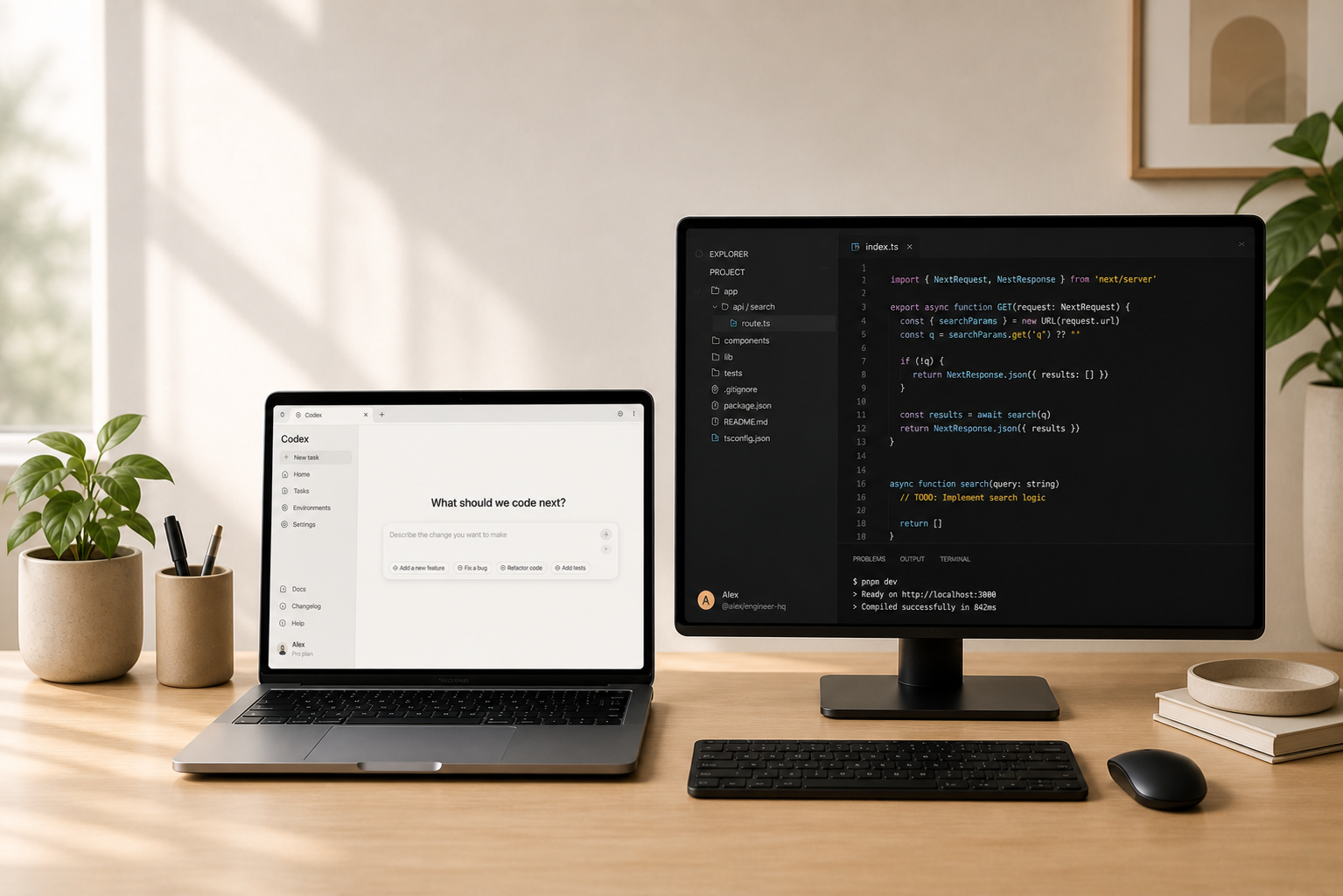
OpenAI Codex desktop app screen showing Codex testing a running app alongside code.

Use Codex when you want focused help building, changing, and testing software projects. Gebruik Codex als je gerichte hulp wilt bij software bouwen, aanpassen en testen.

  • Run multiple coding tasks in parallel from one project. Draai meerdere code-taken parallel vanuit een project.
  • Useful for bigger refactors, implementation sweeps, and multi-agent build work. Handig voor grotere refactors, implementatie-sweeps en multi-agent build-werk.
  • Best for developers who want a dedicated coding app instead of a general chat app. Past bij developers die een aparte code-app willen in plaats van een algemene chatapp.

Codex is mainly for desktop and web use rather than a separate mobile app. Codex is vooral bedoeld voor desktop en web, niet als aparte mobiele app.

Claude apps Claude-apps

Claude

Claude is strong for longer writing, careful thinking, summaries, and daily work across desktop, mobile, and web. Claude is sterk in langere teksten, zorgvuldig nadenken, samenvattingen en dagelijks werk op desktop, mobiel en web.

Choose Claude when you want a calm app for writing, research, summaries, and work connected to your tools. Kies Claude als je een rustige app wilt voor schrijven, research, samenvattingen en werk gekoppeld aan je tools.

Claude app Claude-app

Claude

Research + writing assistant Research + writing assistent
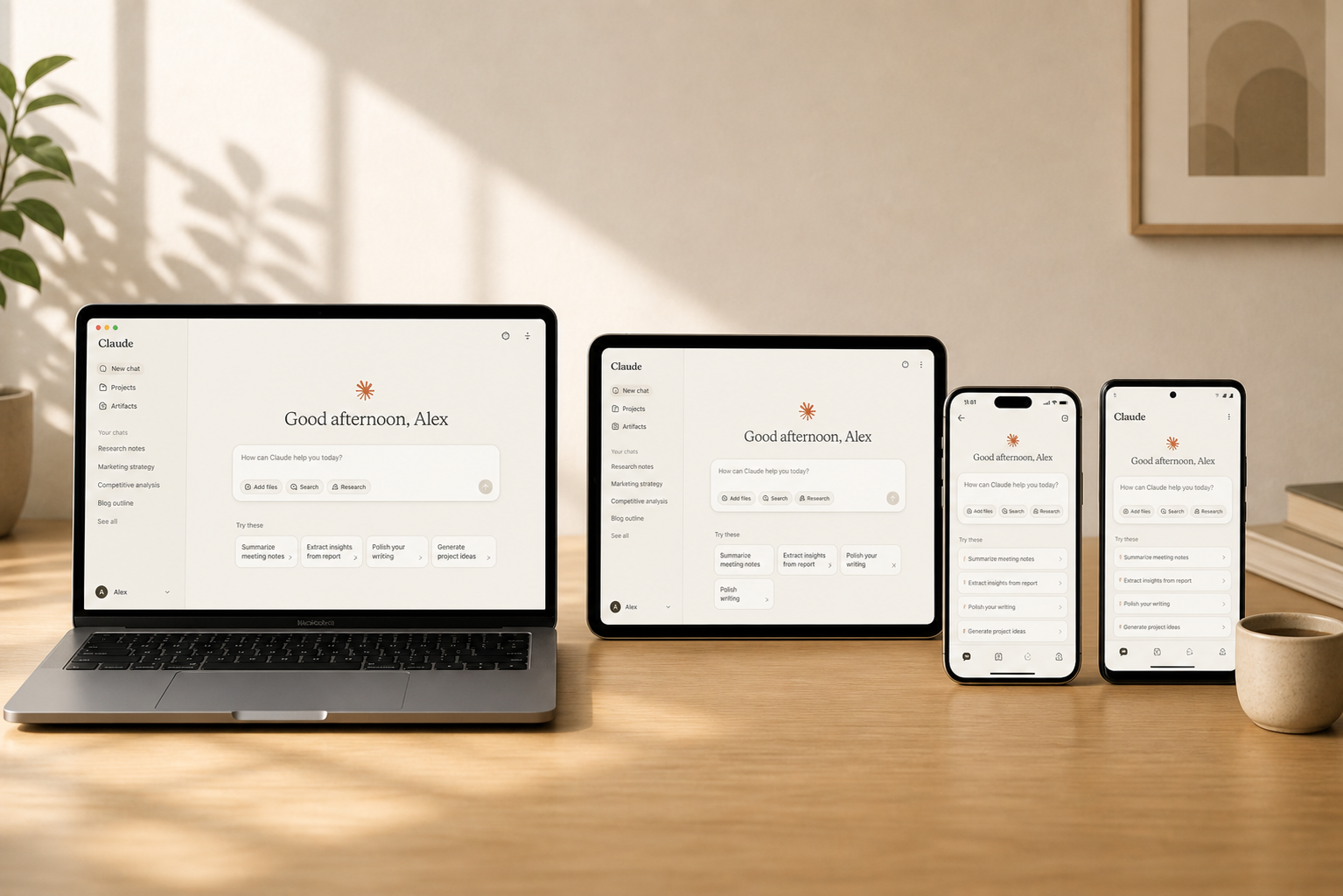
Official Claude App Store screenshot showing the 2026 mobile app home surface.

Use Claude for polished writing, deep document work, research threads, and connected actions across your daily tools. Gebruik Claude voor verzorgd schrijfwerk, diep documentwerk, research-threads en connected actions binnen je dagelijkse tools.

  • Very comfortable for long documents, planning, and careful rewrites. Heel prettig voor lange documenten, planning en zorgvuldige rewrites.
  • Desktop and mobile apps keep the same account and conversation close together. Desktop- en mobiele apps houden hetzelfde account en dezelfde gesprekken dicht bij elkaar.
  • Good fit if you want Claude connected to apps like Notion, Slack, and Zapier. Goede match als je Claude wilt koppelen aan apps als Notion, Slack en Zapier.

Anthropic also offers browser extensions and office add-ins from the same download hub. Anthropic biedt via dezelfde downloadhub ook browserextensies en office add-ins aan.

Claude app Claude-app

Claude Code

Coding agent Coding agent
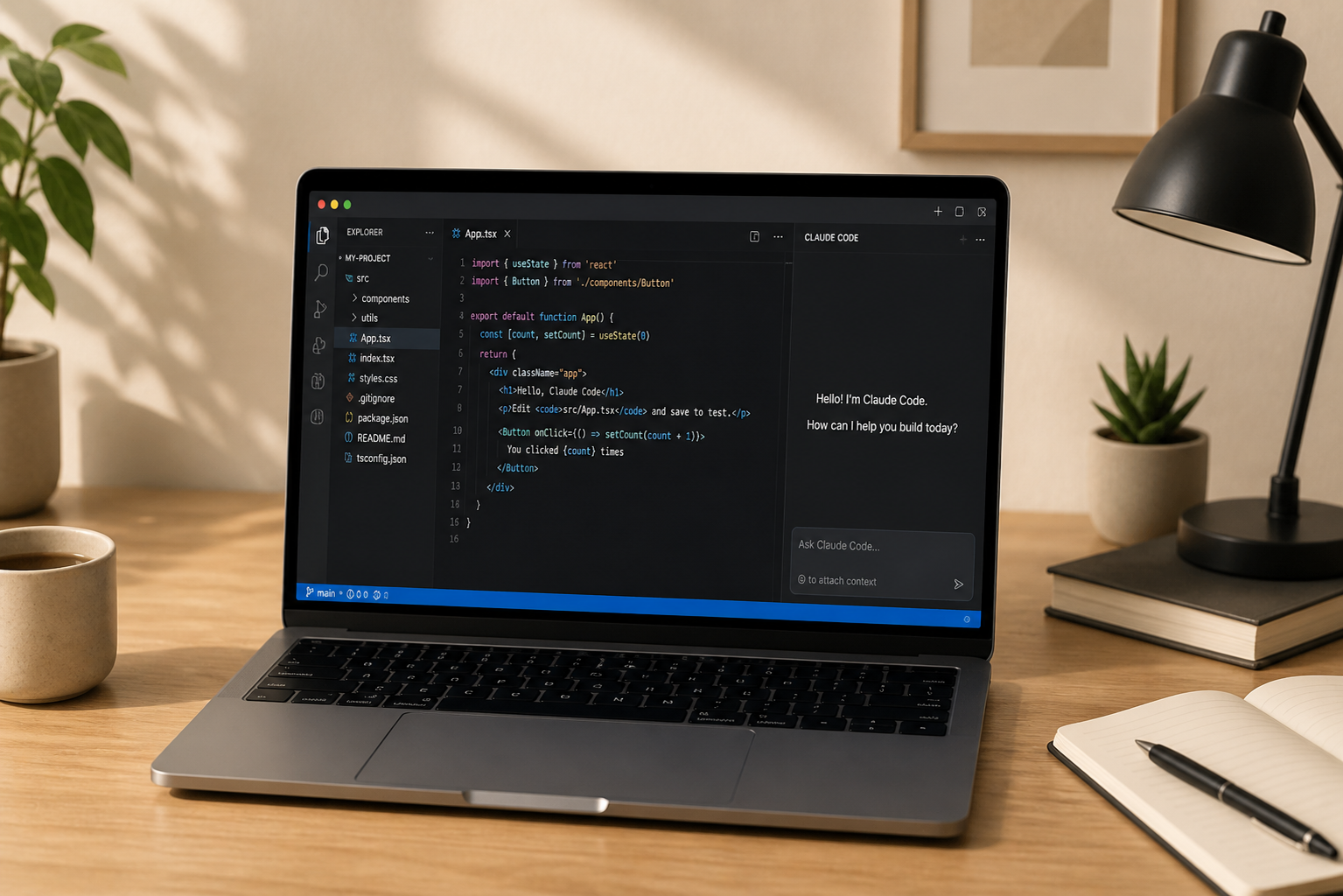
Official Claude Code product image showing agentic coding in the terminal.

Use Claude Code when you want Anthropic's coding help inside developer tools. Gebruik Claude Code als je Anthropic's codehulp in developer-tools wilt gebruiken.

  • Reads a codebase, edits files, runs commands, and helps move work toward committed code. Leest een codebase, past bestanden aan, draait commando's en helpt werk richting committed code te brengen.
  • Built for developers who work in the command line, IDE, and web. Gebouwd voor developers die werken in de command line, IDE en browser.
  • A more equal counterpart to Codex than the general Claude chat app alone. Een gelijkwaardigere tegenhanger van Codex dan alleen de algemene Claude-chatapp.

Claude Code is a developer tool and is installed from the command line. Claude Code is een developer-tool en installeer je via de command line.

Gemini apps Gemini-apps

Gemini

Gemini fits people who already live in Google's ecosystem and want fast multimodal help on phone and in the browser. Gemini past goed bij mensen die al in Google's ecosysteem leven en snelle multimodale hulp willen op telefoon en in de browser.

Choose Gemini when you want a Google-first assistant for voice, camera, images, and quick help tied to your Google account. Kies Gemini als je een Google-first assistent wilt voor voice, camera, beelden en snelle hulp gekoppeld aan je Google-account.

Gemini app Gemini-app

Gemini

Google AI assistant Google AI-assistent
Official Gemini App Store screenshot showing the 2026 mobile app assistant surface.

Use Gemini for voice, camera, image editing, quick answers, and Google-connected help on mobile and in the browser. Gebruik Gemini voor voice, camera, beeldbewerking, snelle antwoorden en Google-gekoppelde hulp op mobiel en in de browser.

  • Text, voice, photos, and camera input sit together in one assistant. Tekst, voice, foto's en camera-input zitten samen in een assistent.
  • Strong fit if your work already lives in Gmail, Drive, Docs, and other Google tools. Sterke match als je werk al leeft in Gmail, Drive, Docs en andere Google-tools.
  • On macOS and Windows you primarily use Gemini through the browser. Op macOS en Windows gebruik je Gemini vooral via de browser.

Google's dedicated native app focus is on mobile, with desktop centered on the web app. Google richt de native app vooral op mobiel, met desktop vooral rond de web-app.

Gemini app Gemini-app

Gemini CLI

Developer coding tool Code-tool voor developers
Official Google Cloud image for Gemini CLI developer tooling.

Use Gemini CLI when you want Google's Gemini help inside command-line developer work. Gebruik Gemini CLI als je Google's Gemini-hulp wilt binnen command-line werk voor developers.

  • Brings Gemini into developer work for code understanding and automation. Brengt Gemini naar developer-werk voor codebegrip en automatisering.
  • Official Google-managed project with public documentation. Officieel door Google beheerd project met publieke documentatie.
  • Pairs naturally with Google AI Studio when you want a browser-based Gemini developer surface. Past logisch naast Google AI Studio als je een browsergebaseerd Gemini-developeroppervlak wilt.

Gemini CLI is not a phone app; it is Google's developer tool for command-line work. Gemini CLI is geen telefoonapp; het is Google's developer-tool voor command-line werk.

Gemini komt eraan